Embedding Boards or Metrics
Embed TargetBoard dashboards or KPIs in external platforms via secure iFrame.
How to embed a board or metric card in other platforms
This guide outlines the steps for embedding a TargetBoard dashboard or KPI inside third-party platforms like BackStage, Tableau, or internal portals using a secure iFrame.
Embedding provides real-time visibility of TargetBoard data while maintaining full control over access and security.
Embedding requires an API key with appropriate permissions. Only users with administrative access can generate one.
Generating the Embed Code
To Embed a Full Board
To generate the embed code for a specific board.
- Open the relevant board in your TargetBoard workspace.
- Click Menu > Embed.
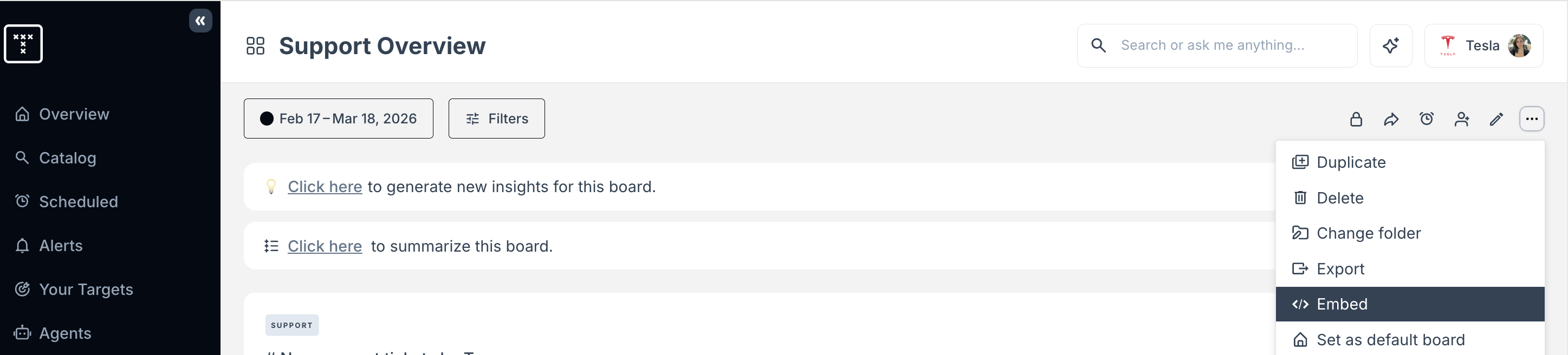
- (Optional) Add an allowed domain. This will restrict where the embed code can be used so that it will only function when loaded from that domain.
- Click Generate code.
To Embed a Metric Card
To generate the embed code for a specific metric card.
- Open the relevant board in your TargetBoard workspace and find the card you want to embed.
- Click Menu > Embed.
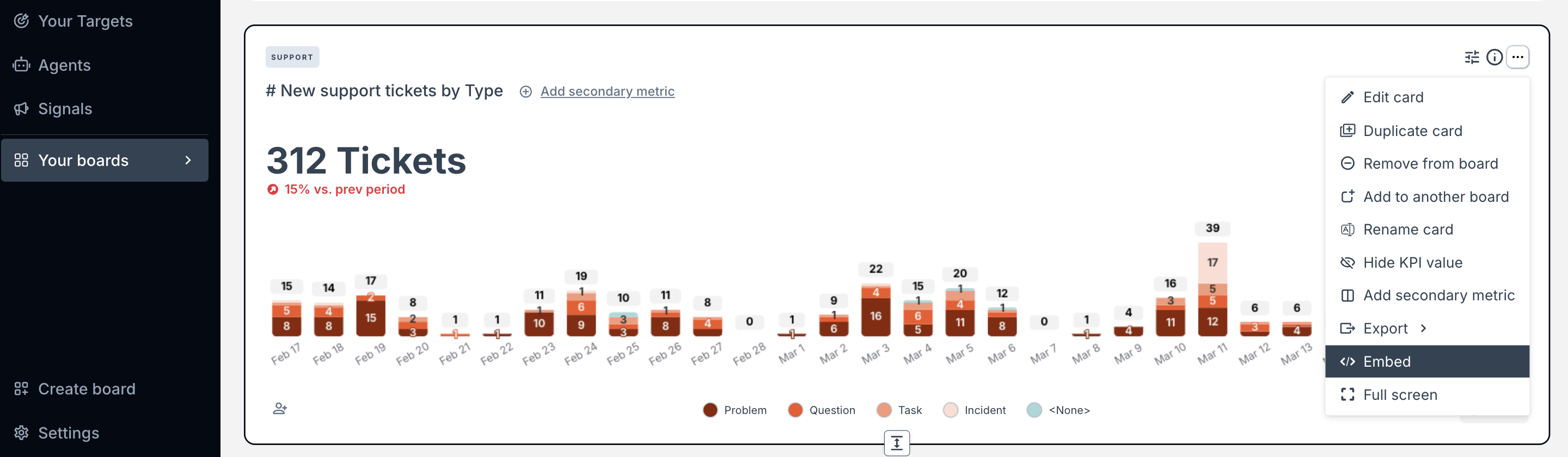
- (Optional) Add an allowed domain. This will restrict where the embed code can be used so that it will only function when loaded from that domain.
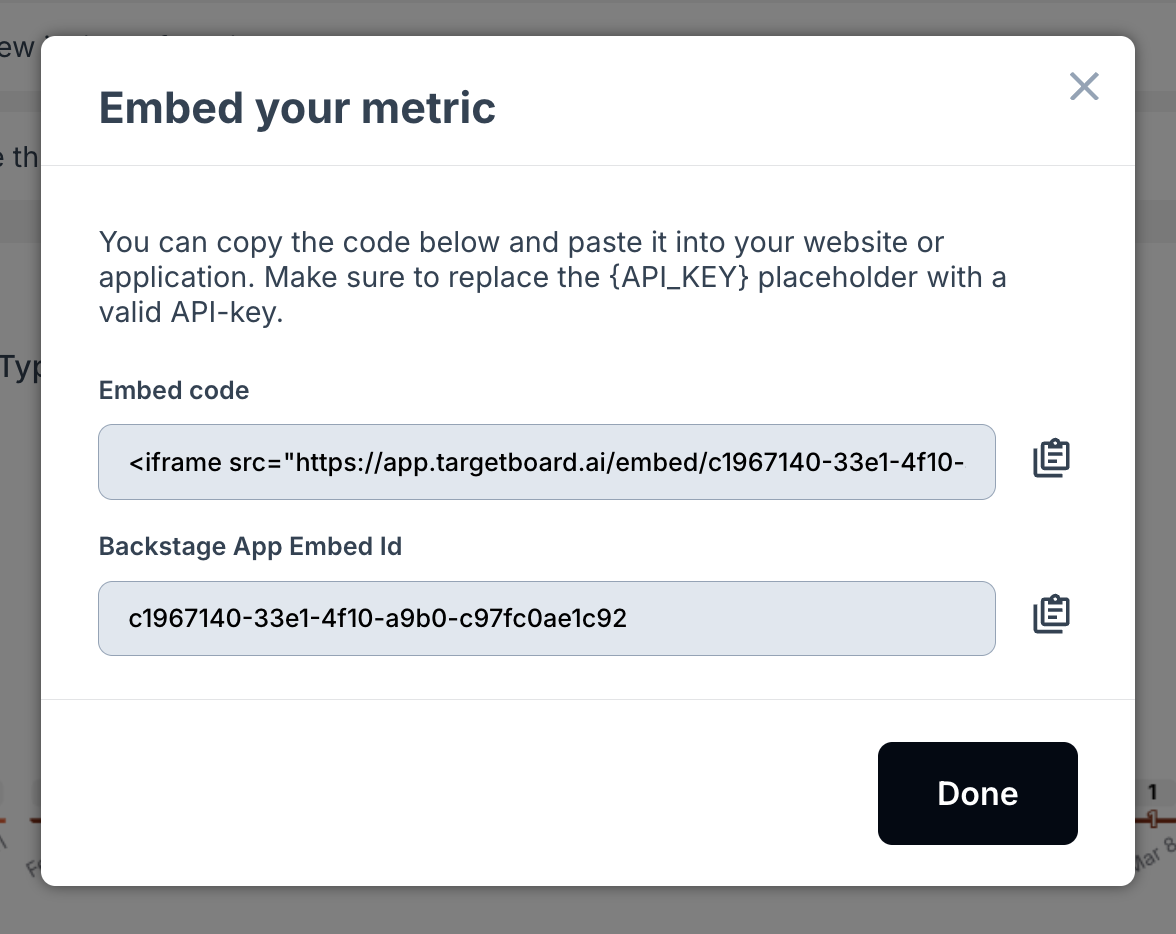
- Click Generate code. Copy the code(s) and use them to embed your card.
Create and Apply an API Key
To authenticate embedded access, an API key must be created with appropriate permissions.
- Go to Settings > API Keys.
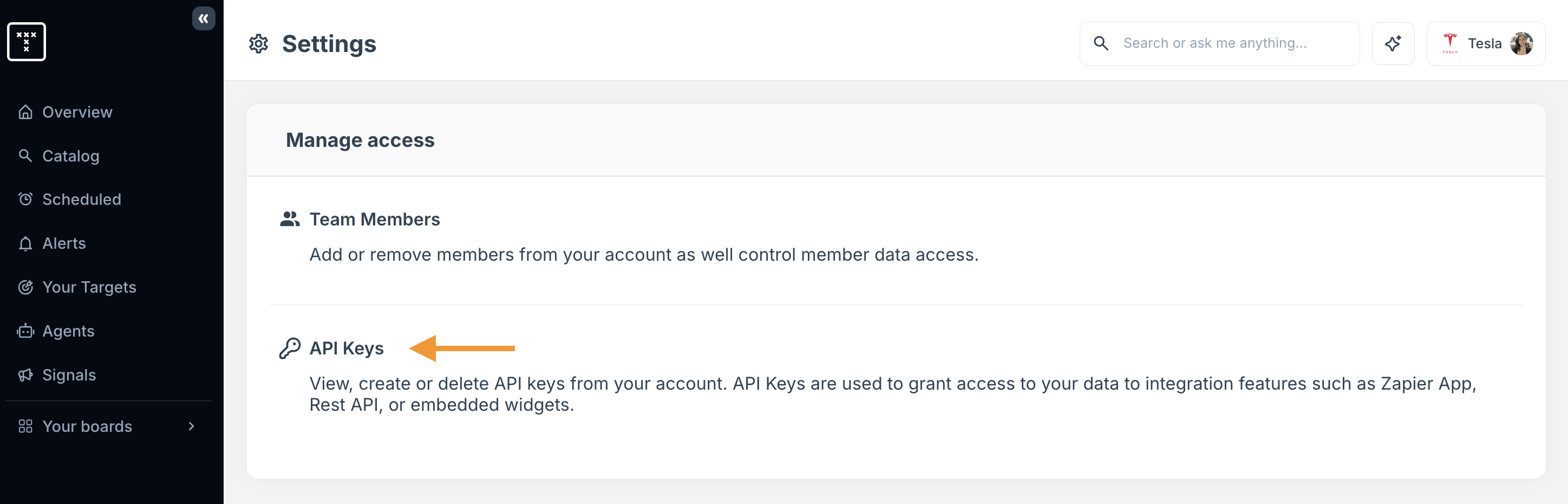
- Click Create new API Key and enter a clear name, expiration date and permissions as prompted.
- Click Create API Key.
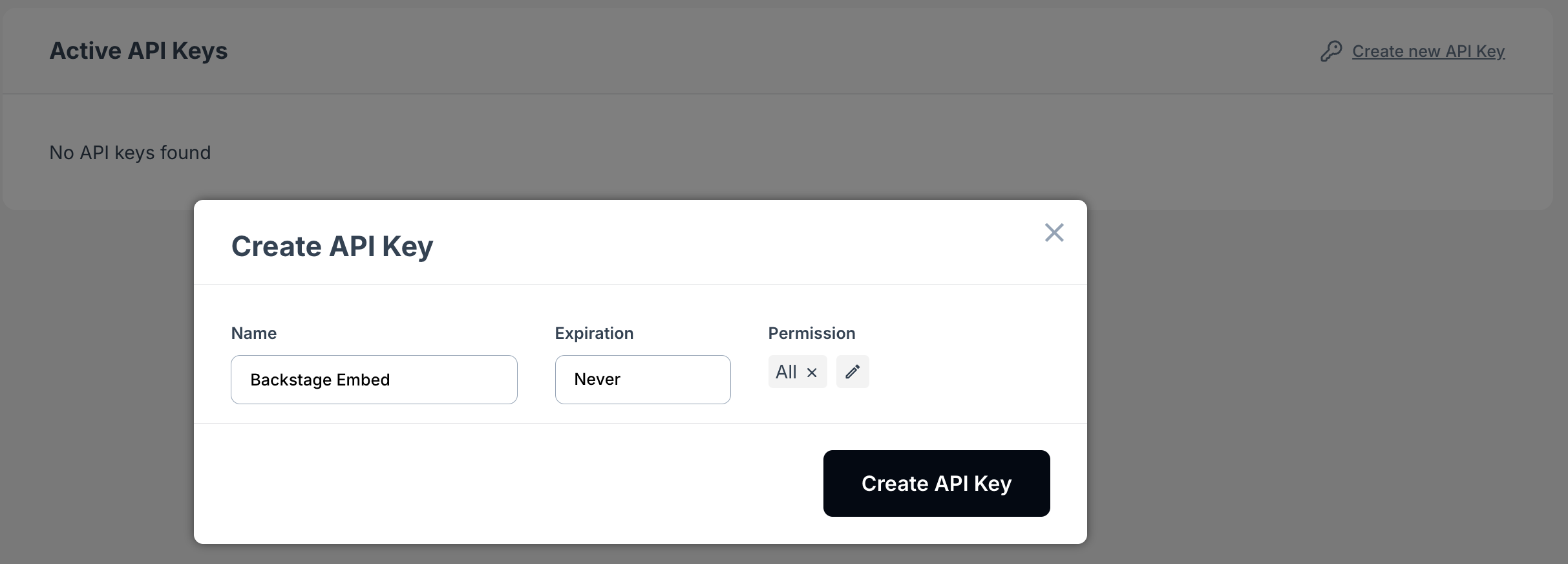
Copy the API key and replace the {API_KEY} value in your embed code with it:
src="https://app.targetboard.ai/board/123?apiKey=your_generated_key_here"
How did we do?
Creating & Editing Boards
Exploring Metrics
