Agent Tips & Best Practices
Agents are smart, but like any AI or analysis tool, they need you to tell them what you care about most so that the analysis and information they provide isn't just interesting, but useful and action…
Agents are smart, but like any AI or analysis tool, they need you to tell them what you care about most so that the analysis and information they provide isn't just interesting, but useful and actionable to you and your organization.
This guide will get you started with some best practice guidance to help you optimize your agents from day one.
This means that for a particular Project, Team, Product, Initiative or anything else that needs attention in your organization, you will have a dedicated Agent monitoring that area on your behalf 24/7 that will tell you where things are progressing well, where things are getting stuck or slowing down and when any sort of risk appears that will impact or threaten your work.
This is easy to do in moments by simply filtering the data your Agent considers as shown in Tip #2.
Tip #1: Make the most out of your Company Context
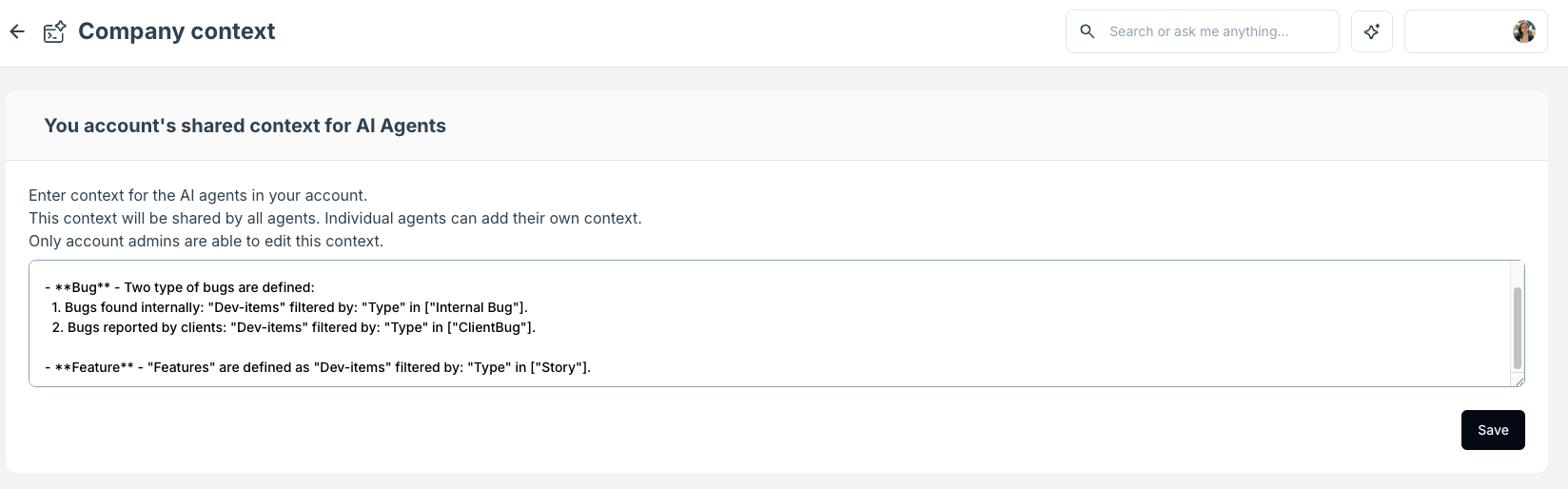
Set up a detailed Company Context to help define shared rules, terminology and organizational preferences that will be used by all Agents in your account. This helps your Agents to interpret data in a way that better aligns with your needs and expectations.
How to implement it:
- Click on Settings towards the bottom of the left side menu.
- Scroll to the Agents sections and select Company Context.
- Add whatever information you think will be relevant and helpful in ensuring that your Agents speak the same language as your team does so that they can address your needs properly.
In the example provided below definitions are provided for Bugs and Features, ensuring that when your team members specify an interest in one of these areas or related to your terms, the Agent knows exactly what to look for. - Click Save. This can be updated at any time.
Tip #2: Define what you want your Agent to look for using Data Filters and Signal Types
Agents are most effective when they have a narrower area of focus than simply 'what is going on in my organization?' and can show the most relevant and important Signals when they are set up with this in mind.
Set up multiple Agents, each with their own scope, so that each stakeholder gets the insights they need to keep things on track and resolve issues before they become problems.
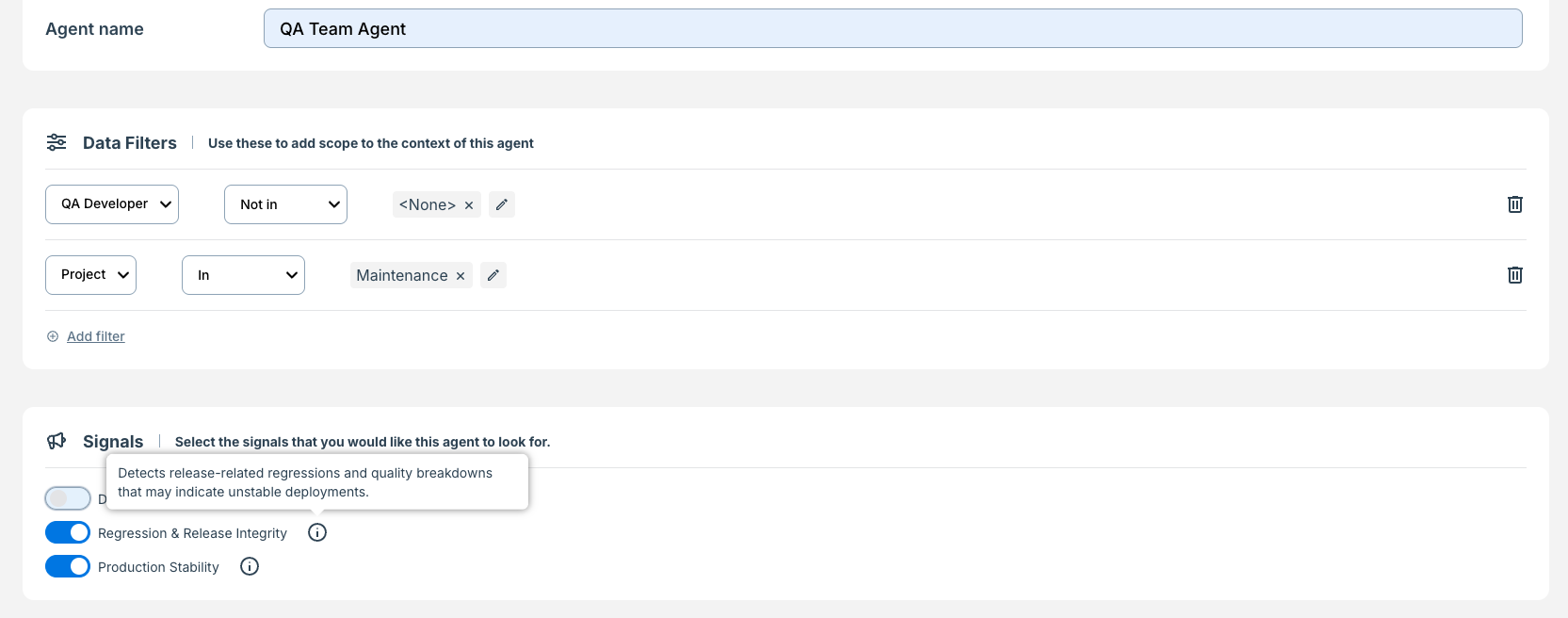
For example, setting up a Software Quality agent specifically looking at QA performance in a particular project is going to give the Project and QA Leads far more relevant specific insights than a Software Quality Agent looking at everything in your organization.
It may also be appropriate to select only some Signal Types, depending on what you want your Agent to review and factor in to its analysis.
How to implement it:
- Click on Agents in the left side menu.
- Select either Create Agent or choose an existing Agent and click on the edit icon.
- Using the example above, select relevant Data Filters to narrow the scope of the data the Agent should consider - in this case, to review only issues with a QA Developer assigned from the Maintenance project.
- Choose which Signal Types you want your agent to look for (Tip: hovering over the 'i' will provide a short explanation of what each Signal Type specializes in).
Tip #3: Use Signal Instructions to fine-tune the insights you receive further
Use Signal Instructions to tell the Agent things like what matters most to you such as any areas or metrics that need extra attention, which patterns are expected and should not create noise, if there are any thresholds that should be treated as more sensitive or any known issues that should be temporarily ignored.
These instructions can be quite detailed and can be further refined over time so that your Agent produces the best possible signals for your unique use case.
How to implement it:
- Scroll down to the Signal Instructions portion of the Create/Edit Agent page.
- Write in any additional instructions or context needed for your Agent, this can be as simple or as complex as you want (note that it will already take any Company Context into account).
- For example: For this Agent, prioritize cycle time and blocked work. Ignore temporary throughput drops during holiday periods. Pay special attention to Platform and Payments teams.
- Click Create Agent or Save.

How did we do?
Agents vs. Alerts
