Connecting Okta SSO
Guidance on how to connect TargetBoard with your Okta for easy and secure access for your users.
Customer Guidelines for Connecting Okta SSO to TargetBoard
This document outlines the required steps and configuration to connect your internal Okta identity provider to TargetBoard’s authentication layer (via Auth0). By following this guide, your organization will enable secure, streamlined access to TargetBoard for your users.
Okta-based SSO is optional. It can be configured at any time after onboarding. Contact your CSM or support@targetboard.ai if you'd like to enable SSO.
- Log into your Okta Admin Console with administrator access.
- In the main menu go to:
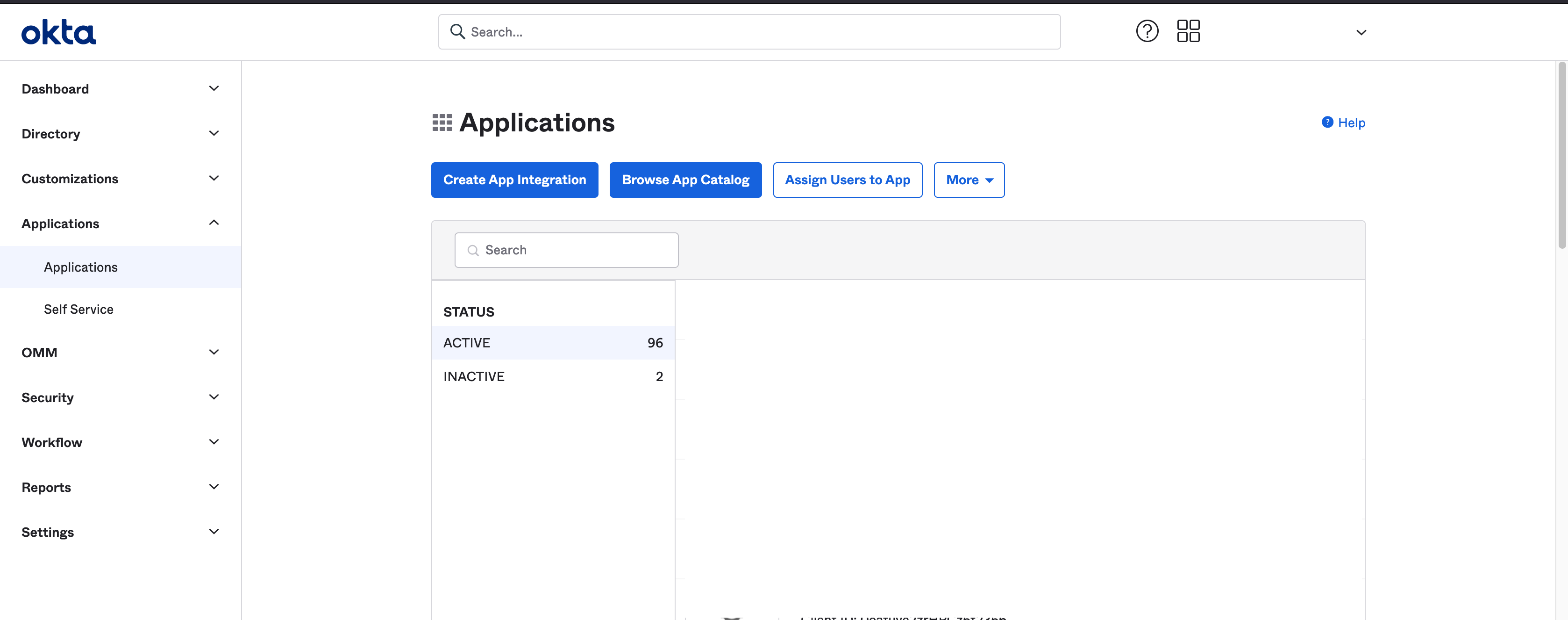
Applications > Applications - Click Create App Integration at the top of the page.
Step 2: Select App Type
- In the popup form:
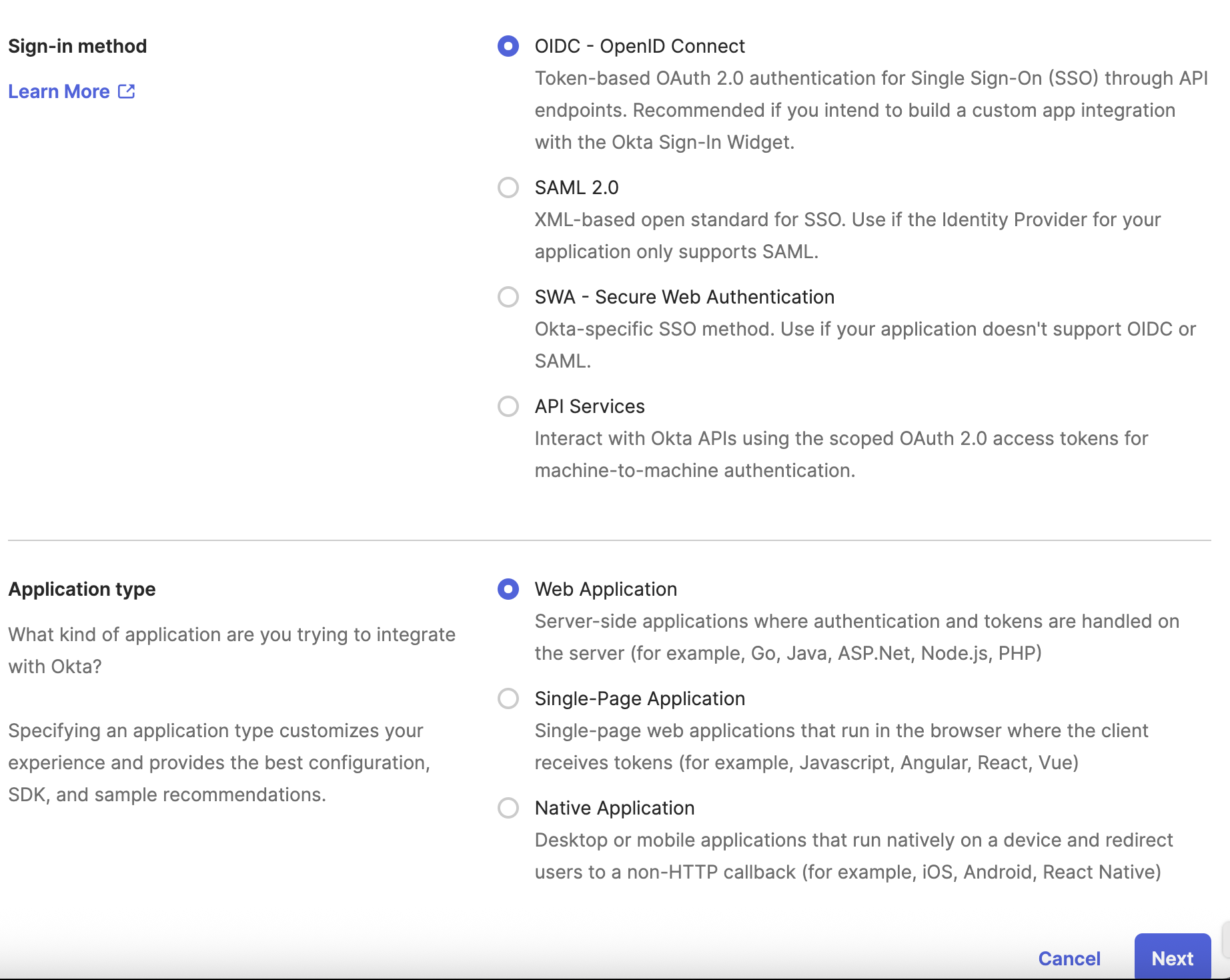
- Sign-in method: Select OIDC - OpenID Connect
- Application Type: Choose Web Application - Click Next
Then complete the following:
- App name: We recommend "TargetBoard Auth0"
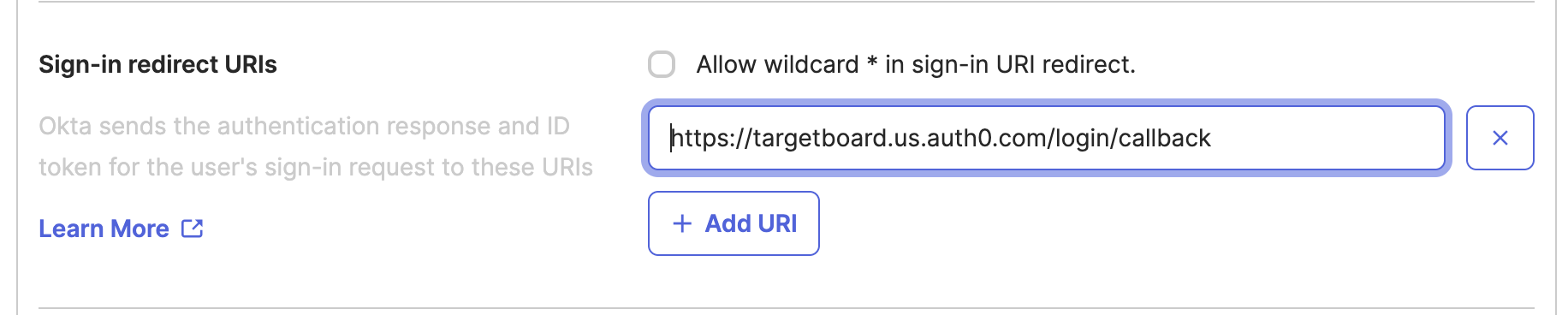
- Sign-in redirect URI:
https://targetboard.us.auth0.com/login/callback - Sign-out redirect URL:
https://targetboard.us.auth0.com/logout
- You may skip group assignments at this stage (you can configure them later).
- Click Save
Step 3: Configure App and Share Credentials
Now that your application is created:
- (Optional) Add a Logo to easily identify the app.
Use the pencil icon in your new app. - Send us the following:
- Client ID
- Client Secret
- Okta Domain (visible in the top-right user menu)
You can send these credentials securely to your TargetBoard contact. - Assign users/groups to this app under the Assignments tab to grant access.

Final Step: We'll Take It From Here
Once we receive your credentials, we’ll complete the SSO setup on our end and confirm once it’s ready. From that point forward, users will be able to log in to TargetBoard using Okta securely.
If you have questions during the process, reach out to support@targetboard.ai or contact your CSM via Slack.
How did we do?
Installing Airbyte (On-Prem) and Connecting Sources
Hybrid Deployment
